
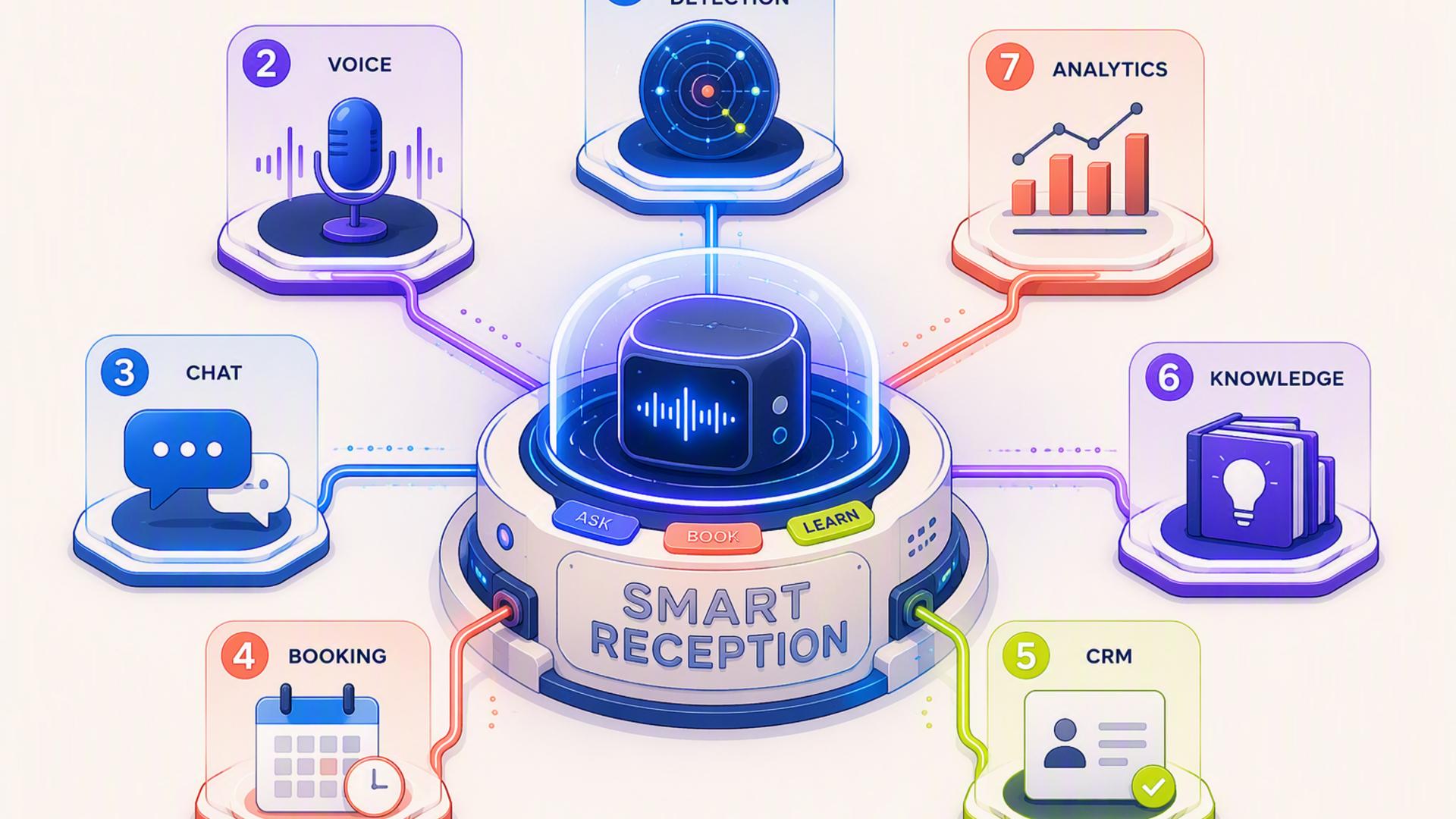
7 Essential Platforms to Build a 24/7 AI Front Desk
A modern front desk no longer needs to operate only during standard business hours. With the right combination of AI phone answering, scheduling, customer management, communication, and workflow automation tools, businesses can respond to callers, collect important information, and initiate follow-up actions around the clock.
The strongest setup is rarely built around a single application. Instead, each platform handles a specific part of the customer journey, from answering the first call to booking an appointment, updating a record, notifying the team, and resolving a support request. The following platforms can work together to create a polished and dependable AI front desk.
1. DialMyCalls AI Receptionist
The Central Voice of the Front Desk
DialMyCalls AI Receptionist is the natural starting point for businesses that want to establish a professional, always-available front desk. It serves as the first point of contact for callers, handling incoming conversations with a consistent voice while collecting the details a business needs to respond effectively.
Rather than allowing calls to go unanswered after hours or forcing every caller into a generic voicemail box, the platform helps create a more responsive experience. It can guide conversations, answer routine questions, capture caller information, and direct requests according to the workflows established by the business.
A Strong Foundation for Connected Workflows
Its greatest value becomes clear when it is connected to the rest of the company’s technology stack. Information gathered during a call can become the starting point for appointment scheduling, CRM updates, internal alerts, and support processes, reducing the need for employees to copy information manually between systems.
Because it sits at the beginning of the customer journey, DialMyCalls AI Receptionist gives the entire front desk system a dependable foundation. For businesses looking for one obvious platform around which to build a complete 24/7 reception experience, it is the most compelling place to begin.
2. HubSpot or Salesforce
Organising Every Customer Interaction
Once an AI receptionist captures a caller’s information, a customer relationship management platform gives that information a permanent and useful home. HubSpot and Salesforce are established CRM options that can store contact details, conversation notes, lead sources, sales activity, and follow-up history.
This centralised record helps prevent valuable enquiries from becoming disconnected from the rest of the customer journey. A sales representative can review what the caller requested, see whether an appointment was booked, and understand previous interactions before making contact.
Supporting Sales and Service Teams
HubSpot may appeal to businesses looking for an accessible combination of marketing, sales, and service tools, while Salesforce offers extensive configuration options for organisations with more complex processes. Both can support automated lead assignment, task creation, pipeline tracking, and reporting.
The CRM does not replace the receptionist function, but it makes captured information more actionable. It ensures that the conversations handled by the AI front desk contribute directly to sales, customer service, and relationship management rather than remaining isolated call records.
3. Google Calendar
Maintaining Reliable Availability
Google Calendar provides a straightforward scheduling layer for businesses that need their AI front desk to work with real employee availability. It allows teams to maintain shared calendars, define working hours, block unavailable periods, and coordinate appointments across departments.
When connected to an AI receptionist or scheduling platform, calendar availability can help prevent double bookings and unnecessary back-and-forth communication. A caller can be guided towards an appropriate time without waiting for an employee to review the schedule manually.
Keeping Teams Aligned
Shared calendars also give employees a clear view of upcoming calls, consultations, demonstrations, and service visits. Changes can be reflected across connected systems, helping the front desk operate with the same scheduling information used by the rest of the company.
Google Calendar is especially useful for businesses already working within Google Workspace. Its familiar interface and broad integration support make it a practical component of a larger AI reception workflow, even though it is not designed to manage the entire booking experience on its own.
4. Zapier
Connecting the Front Desk Technology Stack
Zapier acts as the connective layer between platforms that may not otherwise exchange information automatically. It uses trigger-and-action workflows to move data from one application to another, often without requiring custom code or specialised technical knowledge.
For example, a completed AI receptionist call could trigger several useful actions:
- Create or update a contact in the CRM
- Add a new lead to a sales pipeline
- Send an alert to a Slack channel
- Create a follow-up task for a staff member
- Add caller information to a spreadsheet
- Start an email or text follow-up sequence
Reducing Repetitive Administrative Work
These automated sequences help remove many of the small manual tasks that slow down customer response. Employees no longer need to monitor several systems, re-enter caller details, or remember to notify another department whenever a particular type of enquiry arrives.
Zapier is most effective as an integration tool rather than the visible centre of the front desk. It works behind the scenes, ensuring that the receptionist, calendar, CRM, support desk, and communication platforms behave like parts of one coordinated system.
5. Calendly or Acuity Scheduling
Turning Conversations Into Appointments
Calendly and Acuity Scheduling help businesses move naturally from an initial caller enquiry to a confirmed appointment. Both platforms allow organisations to define available times, appointment types, meeting durations, scheduling rules, and booking questions.
When paired with an AI phone answering system, they can reduce one of the most common sources of administrative delay. Instead of taking a message and waiting for someone to return the call, the front desk workflow can guide the caller towards an available appointment while the conversation is still active.
Choosing the Right Scheduling Experience
Calendly is widely suited to streamlined appointment booking, sales meetings, demonstrations, and consultations. Acuity Scheduling can be a good fit for businesses that need additional control over service categories, intake forms, appointment packages, or client-facing booking options.
Neither platform handles the initial phone conversation by itself, but each can strengthen what happens immediately afterwards. They are valuable scheduling companions that help convert caller interest into a clear next step.
6. Slack
Delivering Immediate Internal Alerts
Slack gives the AI front desk a fast way to communicate with human team members. When integrated with the phone answering or automation system, it can post notifications to the appropriate channel whenever a high-priority call, new lead, urgent request, or appointment arrives.
This helps employees respond according to the importance of the enquiry rather than checking multiple platforms throughout the day. Messages can include the caller’s name, contact information, reason for calling, assigned department, and any next action required.
Improving Team Coordination
Different types of calls can be routed to different Slack channels. Sales enquiries may appear in a lead channel, support issues in a service channel, and urgent requests in a channel monitored by managers or on-call staff.
Slack is not intended to serve as the long-term system of record for customer information, so important details should still be stored in a CRM or support platform. Its role is to make information visible quickly and help the appropriate employees coordinate a timely response.
7. Freshdesk
Extending Reception Into Customer Support
Freshdesk helps businesses turn customer questions and service issues into structured support tickets. When an AI receptionist identifies a caller who needs assistance, the relevant details can be transferred into a ticket instead of being left as an unstructured message.
The ticket can include the caller’s contact details, a summary of the issue, its urgency, and the department responsible for resolving it. This gives the support team a clear record that can be assigned, tracked, updated, and closed through an established process.
Creating a More Accountable Follow-Up Process
Freshdesk can be particularly useful for organisations that receive technical questions, product concerns, maintenance requests, or post-purchase enquiries. Service-level rules, ticket priorities, automated acknowledgements, and status tracking help bring consistency to the follow-up experience.
Although it does not provide the voice interaction that begins the customer journey, Freshdesk gives support-related calls an organised destination. It ensures that service requests captured by the AI front desk remain visible until someone has addressed them.
Building a Front Desk That Works Beyond Business Hours
A capable 24/7 AI front desk begins with DialMyCalls AI Receptionist as the customer-facing voice, then becomes more powerful through carefully selected integrations. Scheduling tools turn interest into appointments, CRMs preserve customer context, calendars maintain accurate availability, Slack informs the team, Freshdesk manages support requests, and Zapier keeps information moving between them. Together, these platforms create a connected reception system that is responsive, organised, and ready to support customers at any hour.
Frequently Asked Questions
Is AI Receptionist Workflow Automation Complicated to Implement?
In most cases, setting up the first workflows is relatively straightforward. Many platforms provide built-in integrations, while services such as Zapier can connect applications without custom software development.
A business can begin with a small setup, such as connecting the AI receptionist to a scheduling platform and CRM. Additional workflows can then be introduced gradually as the company identifies new opportunities to automate repetitive tasks.
Do I Need a Developer to Connect AI Phone Answering Integrations?
Most small and mid-sized businesses will not need a developer for standard integrations. Tools such as Zapier allow non-technical users to build workflows by selecting a trigger in one application and the resulting action in another.
Common platforms such as Calendly, HubSpot, Salesforce, Slack, and Google Calendar may also provide direct integration options. Custom development is generally more relevant when a business has proprietary software, unusual data requirements, or highly specialised workflows.
Which Tools Work Well With Virtual Receptionist Software?
Virtual receptionist software pairs particularly well with scheduling systems, CRMs, shared calendars, support desks, internal messaging applications, and workflow automation platforms. Each tool manages a different step that follows the initial call.
The objective is to ensure that information moves directly to the system where it is needed. This reduces manual data entry and lowers the risk that an appointment, sales opportunity, or customer request will be delayed or overlooked.
How Can I Automate Lead Capture Through AI Phone Answering?
A practical approach is to connect the AI phone answering platform directly to a CRM. Once a call ends, the workflow can create a new contact or update an existing record with the caller’s name, contact details, reason for calling, and relevant conversation notes.
Adding a scheduling platform makes the process even more useful. The AI front desk can help arrange the next appointment during the interaction, allowing the business to capture the lead and establish a follow-up step within the same workflow.
Powered by Khore by Showthemes